Website Enquiry Forms: What Information Should Institutes Collect?
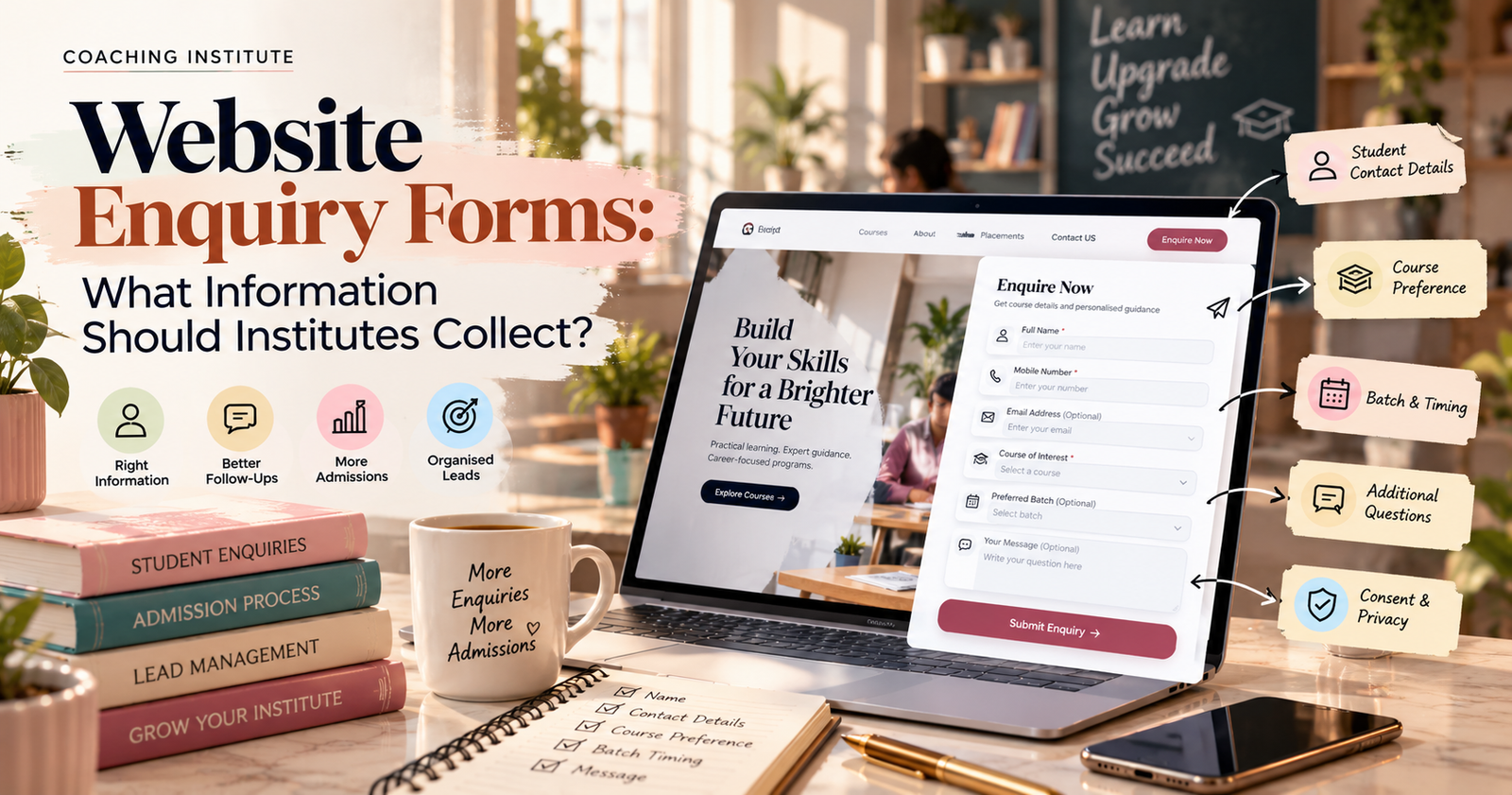
Website Enquiry Forms: What Information Should Institutes Collect?
Introduction
A website is often the first place prospective students visit when they want to learn about a coaching institute, explore courses, or understand admission requirements. When students are interested, they may fill out an enquiry form to request more information.
However, a poorly designed form can create unnecessary friction. Asking too many questions may discourage students from submitting their details, while collecting too little information can make it difficult for the admissions team to respond effectively.
The key is to collect the right information at the right time.
A well-designed website enquiry form helps coaching institutes organise student enquiries, understand course preferences, and build an efficient admission process. When connected to a Customer Relationship Management (CRM) system, it can also help staff manage leads and schedule follow-ups.
In this guide, we will explore what information institutes should collect, which fields are essential, which questions are optional, and how to create a student-friendly enquiry form.
Why Are Website Enquiry Forms Important?
Website enquiry forms provide a structured way for prospective students to contact an institute.
Instead of relying only on phone calls or messages, institutes can collect enquiries in a consistent format and direct them to the appropriate team.
Here are some key benefits.
1. Collect Student Enquiries in One Place
A centralised enquiry process makes it easier to organise information from website visitors and share it with authorised admissions staff.
2. Understand Student Interests
Knowing which course a student is interested in helps the team provide more relevant information about the curriculum, schedule, fees, and learning outcomes.
3. Improve Follow-Ups
When enquiry details are recorded correctly, counsellors can track conversations, schedule follow-ups, and avoid repeatedly asking students for the same information.
4. Support Marketing Decisions
Tracking enquiry sources helps institutes understand how prospective students discover their courses. Tools such as Google Analytics can help analyse website traffic and user interactions, subject to appropriate configuration and consent requirements.
1. Student Name
The student's name is one of the most basic fields in an enquiry form.
It helps the admissions team address the student appropriately and identify the enquiry when communicating with them.
Recommended field: Name
For a simple enquiry form, one name field is usually sufficient. Separate first-name and last-name fields can be used if the institute needs them for its records.
Avoid asking for unnecessary personal details at this stage.
2. Contact Information
Contact details allow the admissions team to respond to the enquiry.
Depending on the institute's communication process, useful fields may include:
Mobile number
Email address
For institutes that primarily communicate through phone or WhatsApp, a mobile number may be the most useful initial contact field. An email address can be optional unless it is needed to send course brochures, schedules, or other information.
Clearly explain how the contact information will be used and provide an appropriate consent option for promotional communications where required.
Do not require students to provide multiple contact methods if one is enough to respond to their request.
3. Course of Interest
This is one of the most useful fields for a coaching institute.
A student may be interested in digital marketing, animation, graphic design, competitive examinations, language training, or another programme.
Add a dropdown menu that lists the courses offered by the institute.
Example:
Digital Marketing
Graphic Design
Animation
Web Development
UI/UX Design
Other
The available options should reflect the institute's actual courses.
This field helps counsellors understand the student's interest before contacting them and makes it easier to direct enquiries to the relevant department.
4. Preferred Batch or Learning Mode
Some students may prefer weekday classes, weekend batches, morning sessions, evening sessions, or online learning.
If these options are available, include an optional field such as Preferred Batch or Learning Mode.
Possible choices include:
Weekday batch
Weekend batch
Morning batch
Evening batch
Online learning
Not decided yet
Only include this field if the information helps the admissions team recommend an appropriate option.
If batch availability is likely to change, avoid presenting the dropdown as a guarantee that a particular schedule is available.
5. Education Level or Experience
Some courses have specific eligibility requirements or are designed for different experience levels.
For example, a beginner digital marketing course may welcome students with no prior experience, while an advanced programme may expect existing knowledge.
An optional field such as Current Education Level or Experience can help the admissions team provide relevant guidance.
Possible options include:
School student
College student
Graduate
Working professional
Beginner
Experienced learner
Other
The options should be adapted to the course. For a short workshop or introductory class, this information may not be necessary at all.
6. Enquiry Message or Question
A short message field allows prospective students to explain what they want to know.
They may have questions about course fees, duration, eligibility, placements, curriculum, or class timings.
Use a simple prompt such as:
“What would you like to know about this course?”
Keep this field optional unless the institute has a clear reason to require it.
An open-text field can provide useful context, but avoid asking students to submit sensitive personal information.
7. Enquiry Source
Institutes often promote their courses through multiple channels, including Instagram, Google Search, paid advertisements, referrals, and educational events.
Understanding the source of an enquiry can help the marketing team evaluate its campaigns.
If appropriate, include an optional question such as:
“How did you hear about us?”
Possible options include:
Google Search
Instagram
Facebook
YouTube
Advertisement
Friend or referral
Website
Other
Where possible, the website can record campaign information automatically using suitable tracking parameters, rather than requiring every student to answer this question.
This data can be compared with website analytics and CRM records to understand which channels generate meaningful enquiries.
8. Consent and Privacy Information
A website enquiry form should explain what happens to the information a student submits.
Add a short, accessible privacy notice that explains the purpose of collection and links to the institute's privacy policy or its own published privacy policy.
Where required, obtain appropriate consent before sending promotional emails, messages, or other marketing communications.
Important practices include:
Collect only the information necessary for the enquiry.
Explain how contact details will be used.
Limit access to authorised staff.
Protect stored information.
Provide a way to withdraw marketing consent where applicable.
Follow relevant data protection requirements.
Avoid automatically treating an enquiry as permission for unlimited promotional communication.
Which Fields Should Be Required?
Not every field needs to be mandatory. A shorter form is often easier to complete, particularly on a mobile phone.
Here is a practical starting point.
Form field | Recommended setting |
|---|---|
Name | Required |
Mobile number or email | Require at least one suitable contact method |
Course of interest | Required if multiple courses are offered |
Preferred batch | Optional |
Education level or experience | Optional |
Enquiry message | Optional |
How did you hear about us? | Optional |
Marketing communications consent | Separate, optional where applicable |
The final configuration should reflect the institute's actual admission process, applicable requirements, and communication preferences.
How to Create a Simple Website Enquiry Form
Institutes can start with a basic form and improve it as their needs grow.
Step 1: Choose a Form Tool
A simple form builder can help you collect enquiries without developing a complex system from scratch.
For example, Google Forms can be used to create a basic enquiry form. For a form embedded directly into an institute's website, a website form plugin or a CRM-integrated form may be more suitable.
Step 2: Add the Essential Fields
Start with the student's name, a suitable contact method, and course preference. Add optional fields only when they support the admission process.
Step 3: Write a Clear Call to Action
Use a button label that tells visitors what happens next.
Examples include:
Submit Enquiry
Request Course Details
Speak to a Counsellor
Get Course Information
Avoid vague labels that do not explain the action.
Step 4: Connect the Form to a CRM
A form can be connected to a CRM system so that enquiries are recorded in a central location.
Depending on the available integration, the system may assign an enquiry to a counsellor, create a follow-up task, or notify the admissions team.
Test the integration to ensure that submitted information reaches the correct destination.
Step 5: Display a Confirmation Message
After a student submits the form, show a clear confirmation message.
For example:
“Thank you for your enquiry. Our admissions team will review your request and contact you through your selected contact method.”
Only promise a response time if the institute can consistently meet it.
Step 6: Test the Form on Mobile Devices
Many students browse course websites on their phones. Test the form on different screen sizes to ensure that it is readable, easy to complete, and accessible.
Check that required fields work correctly, the submit button is visible, and the confirmation message appears after submission.
Common Mistakes to Avoid
Even a well-designed website can lose potential enquiries if the form creates unnecessary barriers.
Asking Too Many Questions
Avoid requesting extensive personal, educational, or financial information before it is necessary. Collect additional details later in the admission process if needed.
Using Unclear Field Labels
Labels such as “Details” or “Information” may confuse visitors. Use specific wording so students understand what they need to enter.
Making Every Field Mandatory
Only require information that is genuinely needed to respond to the enquiry.
Ignoring Submitted Enquiries
A form is useful only when the institute has a process for reviewing and responding to submissions. Assign responsibility for checking new enquiries and recording follow-up actions.
Forgetting Mobile Usability
Small fields, difficult dropdowns, and lengthy forms can make the submission process frustrating. Keep the layout simple and test it on mobile.
Failing to Protect Student Information
Limit access to submitted data, avoid unnecessary sharing, and ensure that the institute's collection and storage practices follow applicable privacy requirements.
Conclusion
Website enquiry forms are an important part of the student admission journey. By collecting essential contact details, course preferences, and relevant enquiry information, coaching institutes can make it easier for prospective students to request information and receive appropriate guidance.
The most effective form is not necessarily the one with the most fields. It is the one that collects the information needed to respond helpfully while making the submission process simple and respectful.
Start with a short form, connect it to an organised enquiry management process, and review the results over time. As the institute grows, additional fields and automation can be introduced when they provide genuine value.
The key takeaway: Keep your enquiry form simple, collect information responsibly, and ensure every genuine enquiry has a clear next step.